
MAC – Printing
When printing to a printer that requires a printer code (such as ours), Ricoh drivers
require an extra step in some cases for MAC users. You might be able to print in one
app, but not in another. Why?
The system dialogue box must open when you print, in order for your MAC to
communicate your printer code to the office printer. In some apps, this dialogue box
opens automatically. In others, it doesn’t.
See Pic 1 to see what the system dialogue box looks like.
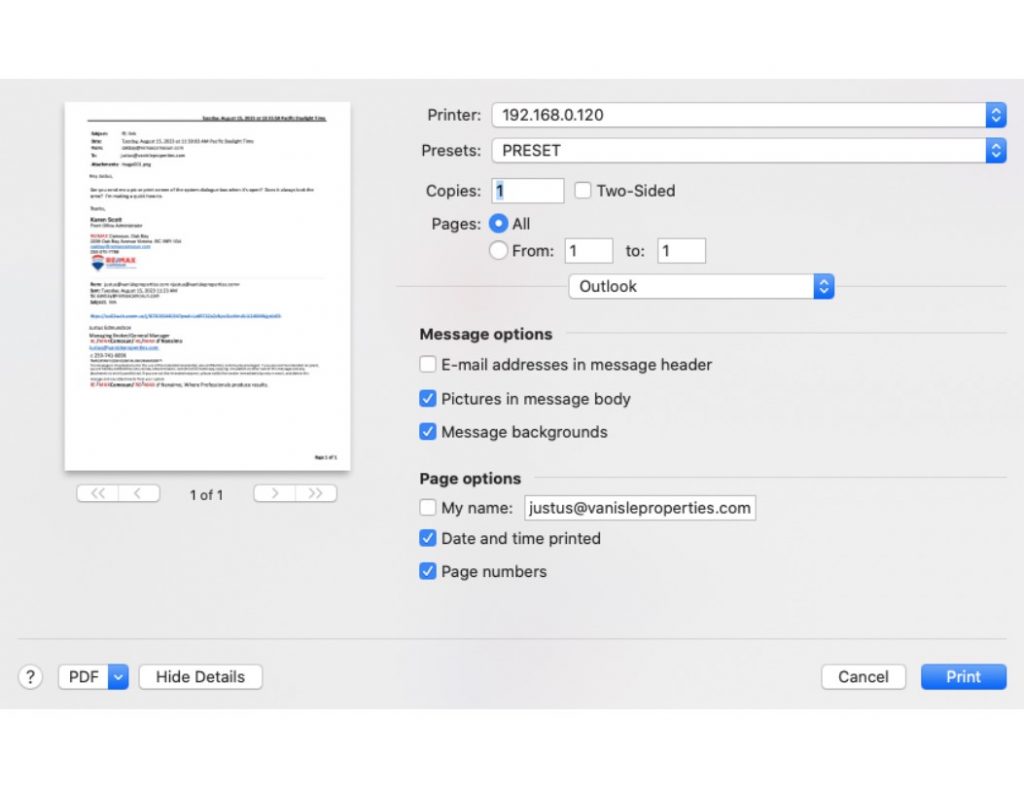
If this dialogue box does not open when you print, try the following:
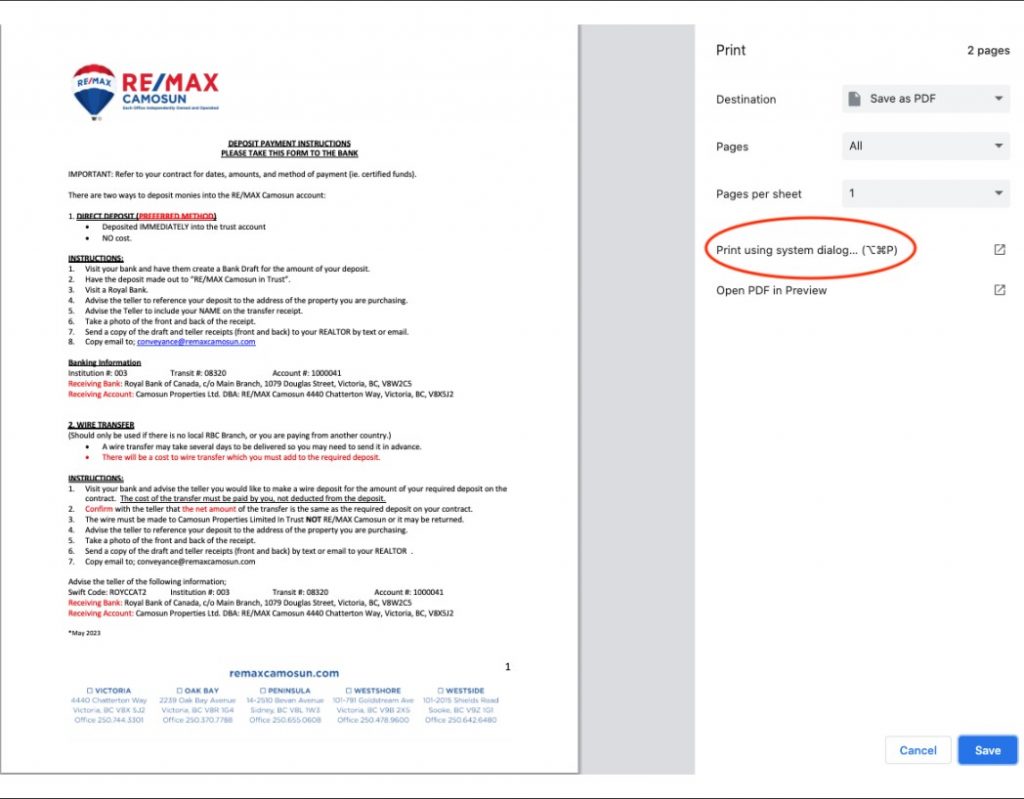
1. When you go to print, click “Print from system dialogue box” (see Pic 2). Now you
should be able to print from here.
Or….
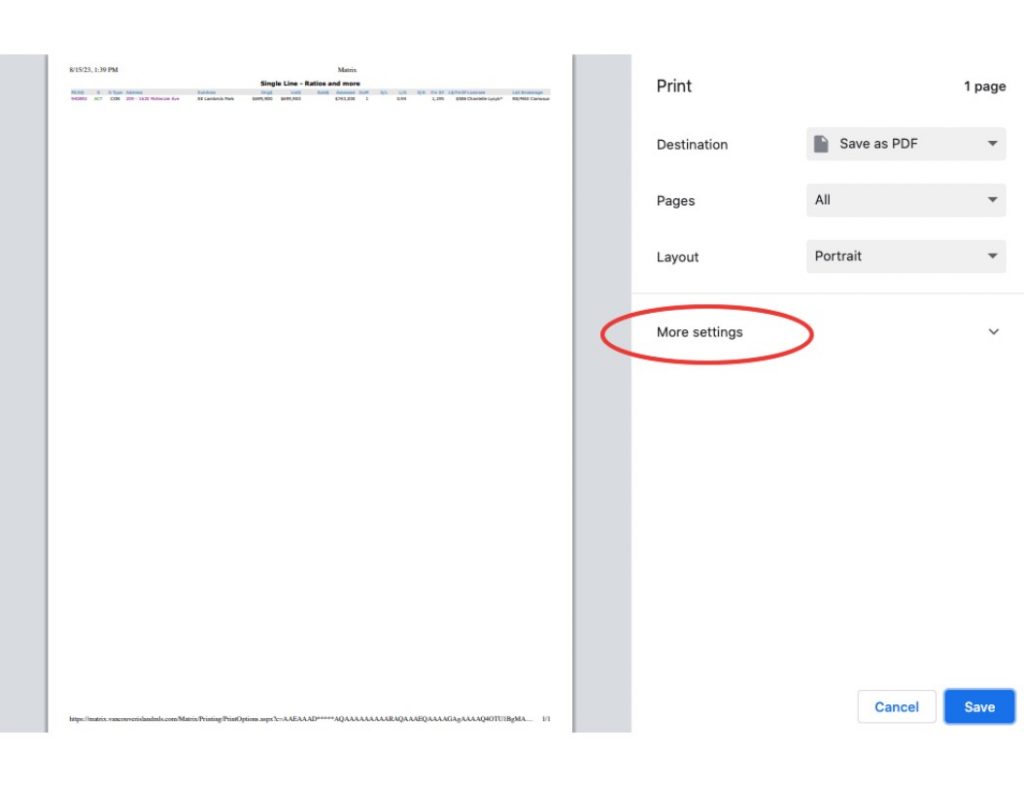
2. When you go to print, click “More seftings” (see Pic 3), then choose “Print from
system dialogue box”. Now you should be able to print from here.
This should solve your problem, but if you are sfill unable to print, please email
helpdesk@agentservices.ca.